 Ejecta
Finally eject your external drives
macOS won't tell you what's blocking your drive. Ejecta shows exactly which process is holding it hostage — and lets you quit it with one click.
Requires macOS 14 Sonoma or later
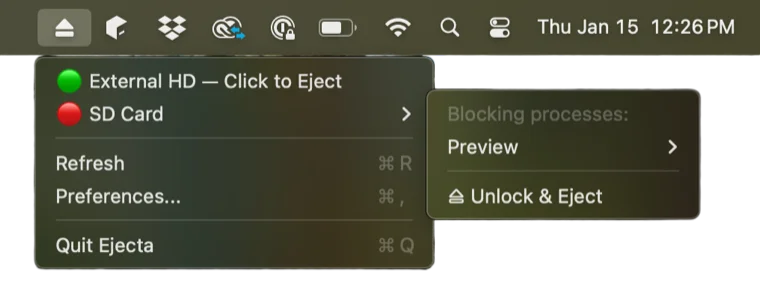
You've seen this before
macOS tells you something is using your drive, but never tells you what. So you close every app. Restart Finder. Wait. Pray. Eventually unplug the drive anyway and hope for the best.
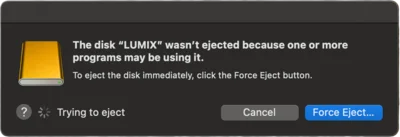
There's a better way.
How it works
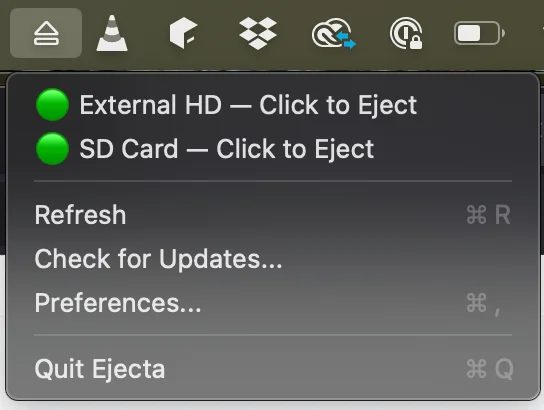
Click the Menu Bar Icon
See all your mounted external drives at a glance with status indicators.
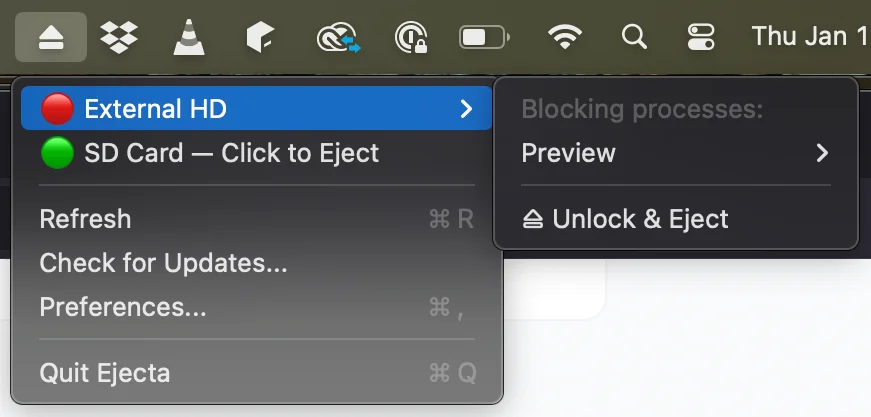
Spot the Blocker
Red indicator? Expand to see exactly which process is using your drive.
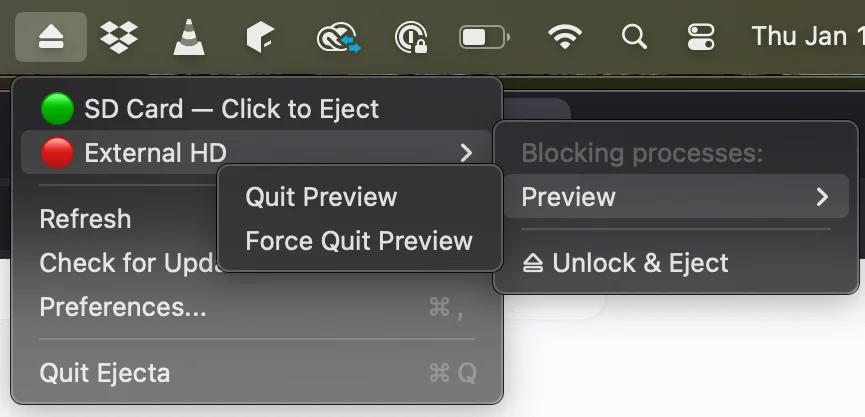
Quit and Eject
Click to quit the process. The drive turns green. Eject safely.
Features
Everything you need to safely eject your drives.
Lives in Your Menu Bar
No dock icon, no main window. Ejecta stays out of your way until you need it.
Visual Status Indicators
Green means safe to eject. Red means something's using it. No guessing required.
Reveals Blocking Processes
See exactly which app or system process is holding onto your drive: Spotlight, QuickLook, Finder, or anything else.
One-Click Quit
Click the process name to quit it gracefully. No Terminal commands, no Activity Monitor hunting.
Force Quit Fallback
Stubborn process won't quit? Force quit it with a single click. Your data stays safe.
Privacy First
Ejecta uses Full Disk Access only to read which processes have files open. No data leaves your Mac.
Simple pricing
One-time purchase. No subscriptions. Ever.
one-time purchase
- Lifetime license
- Free updates
- Email support
- Works on Apple Silicon & Intel
Requires macOS 14 Sonoma or later. Full Disk Access permission required.
From the Blog
View all →How to Eject an External Drive From Terminal on Mac
Terminal gives you more control over drive ejection than Finder ever will. Here's every command you need to diagnose and …
Feb 10, 2026Why Your Mac Gets Slower When an External Drive Is Connected
Plugging in an external drive shouldn't slow down your whole system, but it often does. Here's what's happening behind …
Feb 7, 2026Understanding macOS Disk Permissions and External Drives
Permission issues can prevent you from accessing, modifying, or ejecting external drives on Mac. Here's how macOS …
Jan 31, 2026